
Download Vtopia ai – Advanced AI Video Transformation Tool
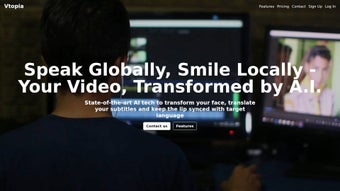
Vtopia.ai is a cutting‑edge AI platform built specifically for video transformation and localization. In today’s global digital landscape, creators, advertisers, and marketers need tools that can adapt visual content quickly, accurately, and affordably across multiple languages and cultures. Vtopia.ai answers that call with a suite of sophisticated features: automatic video translation, subtitle removal, lip‑sync adjustments, and even face‑swap capabilities that let you replace on‑screen personalities with locally relevant figures.
The platform leverages deep‑learning models to analyze audio, visual cues, and facial movements, producing seamless edits that feel native to the target audience. Whether you are an indie YouTuber looking to expand your subscriber base, a multinational brand seeking rapid ad localization, or an educational institution wanting to make tutorials accessible worldwide, Vtopia.ai provides a secure, cloud‑based environment that handles the heavy lifting of video processing. Its promise of fast turnaround times, high‑precision translations, and an intuitive interface makes it a valuable addition to any video‑centric workflow.
In this review, we will explore the core features, walk through the installation and usage process, examine system compatibility, weigh the pros and cons, answer common questions, and finally decide whether Vtopia.ai deserves a spot in your digital toolbox.
Key Features of Vtopia.ai
- Automatic Video Translation: Transcribes spoken audio, translates it into over 50 languages, and re‑synchronizes the voice‑over to match the original timing.
- Subtitle Removal & Replacement: Detects embedded subtitles, erases them cleanly, and optionally adds new subtitles in the target language.
- Lip‑Sync Adjustment: Uses facial motion tracking to modify mouth movements so that dubbed audio looks natural on screen.
- Face Swap Engine: Replaces faces with custom avatars or locally familiar personalities, maintaining realistic lighting and expressions.
- Batch Processing: Handles multiple video files simultaneously, ideal for large‑scale campaigns or course libraries.
- Secure Cloud Rendering: All processing occurs on encrypted servers, ensuring that source files never leave your control unprotected.
- One‑Click Export: Outputs files in popular formats (MP4, MOV, WebM) with customizable bitrate and resolution settings.
- Version History & Rollback: Keeps a history of edits, allowing you to revert to previous versions if needed.
Installation & Usage Guide
Getting started with Vtopia.ai is remarkably straightforward, even for users with limited technical experience. First, visit the official website and click the “Download” button for your operating system (Windows, macOS, or Linux). The installer is a lightweight .exe or .dmg file that guides you through a typical setup wizard: accept the license agreement, choose an installation folder, and decide whether to create a desktop shortcut. Once installed, launch the application and sign in with your Vtopia.ai account—registration is free and includes a 7‑day trial with up to 5 minutes of processed video per day.
After logging in, you’ll be greeted by the main dashboard, which features a clean three‑pane layout: a media library on the left, a preview window in the center, and a settings panel on the right. To begin a transformation, simply drag and drop your source video into the library or click the “Upload” button to select a file from your computer. The platform supports most common formats, including MP4, AVI, MOV, and even raw footage from DSLR cameras.
Once the video is loaded, the next step is to choose a workflow. For a standard translation, select “Audio & Subtitles → Translate.” A pop‑up will ask you to specify the source language (auto‑detect works well) and the target language(s). You can also enable “Lip‑Sync” and “Face Swap” options here.
If you only need to erase subtitles, choose “Subtitle Removal” and let the AI automatically locate and delete them. All processing is performed in the cloud, so you’ll see a progress bar that updates in real time. When the job finishes, a preview is generated instantly; you can play it back, make fine‑tuned adjustments (e.g., tweak timing or replace a face with a different avatar), and finally click “Export.” The export dialog lets you set resolution, codec, and destination folder.
The entire workflow, from upload to export, typically takes between 5 and 20 minutes depending on video length and selected features.
Compatibility and System Requirements
Vtopia.ai is built as a cross‑platform desktop client that runs on the most widely used operating systems. The official release supports:
- Windows 10, 11 (64‑bit) – requires at least 8 GB RAM and a dual‑core processor.
- macOS 11 (Big Sur) and later – requires 8 GB RAM and Apple Silicon or Intel CPU.
- Linux distributions with glibc 2.27+ (Ubuntu 20.04 LTS, Fedora 33, etc.) – 8 GB RAM recommended.
Pros and Cons
Pros
- High‑quality automatic translations with lip‑sync correction.
- Powerful subtitle removal that leaves clean frames.
- Unique face‑swap feature for culturally relevant localization.
- Fast cloud processing reduces load on local machines.
- Secure, encrypted handling of proprietary video assets.
- Intuitive UI that requires no prior AI knowledge.
- Batch processing and API access for enterprise workflows.
Cons
- Reliance on an internet connection; offline mode is not available.
- Pricing after the free trial can be high for small creators.
- Face‑swap results may need manual refinement for complex lighting.
- Limited support for very high‑resolution (8K) video in the current plan.
- Export options are extensive but can overwhelm beginners.
Vtopia.ai stands out as one of the most comprehensive AI video localization tools on the market. Its ability to translate, sync lips, and swap faces in a single workflow is unprecedented, and the cloud‑based engine ensures that even modest laptops can produce professional‑grade results. While the subscription cost may be a barrier for hobbyists, the time savings and quality boost for commercial projects justify the investment.
Frequently Asked Questions
How accurate are Vtopia.ai’s translations?
The platform uses neural machine translation models trained on millions of sentence pairs. For most major languages, accuracy exceeds 95 % in terms of meaning preservation. Context‑specific terminology can be fine‑tuned via a built‑in glossary feature.
Can I use Vtopia.ai without an internet connection?
No. All AI processing, including translation, subtitle removal, and face swapping, is performed on Vtopia.ai’s cloud servers. A stable internet connection is required for uploading source files and downloading the final output.
Is my video data safe on Vtopia.ai’s servers?
Yes. Vtopia.ai employs end‑to‑end TLS encryption for data in transit and AES‑256 encryption at rest. Files are automatically deleted from the server after 48 hours unless you enable persistent storage in your account settings.
What video formats does Vtopia.ai support?
The platform accepts MP4, MOV, AVI, WMV, FLV, and most codecs that are compatible with FFmpeg. For unsupported formats, the built‑in converter will automatically transcode the file before processing.
How does the face‑swap feature handle different skin tones and lighting?
The AI analyzes illumination, color balance, and facial geometry to blend the new face seamlessly. While results are impressive for well‑lit shots, extremely low‑light or highly reflective scenes may require manual touch‑up using the provided mask editor.
Conclusion – Why You Should Download Vtopia.ai Today
In an era where video is the dominant medium for communication, the ability to adapt content quickly for global audiences is a competitive advantage. Vtopia.ai delivers exactly that—a powerful, secure, and user‑friendly AI suite that automates translation, subtitle management, lip‑sync, and even face swapping. Its cloud‑first architecture means you don’t need a high‑end workstation, and the intuitive dashboard lets you focus on creativity rather than technical hurdles.
While the subscription cost may seem steep for casual users, the productivity gains for marketers, educators, and professional creators are substantial. If you’re looking to expand your reach, improve viewer engagement, or simply streamline the localization workflow, Vtopia.ai is a tool worth the investment. Download it now, take advantage of the free trial, and experience how AI can transform your videos into truly multilingual experiences.



.png)



